This translation was prepared with AI assistance and reviewed by the editorial team.
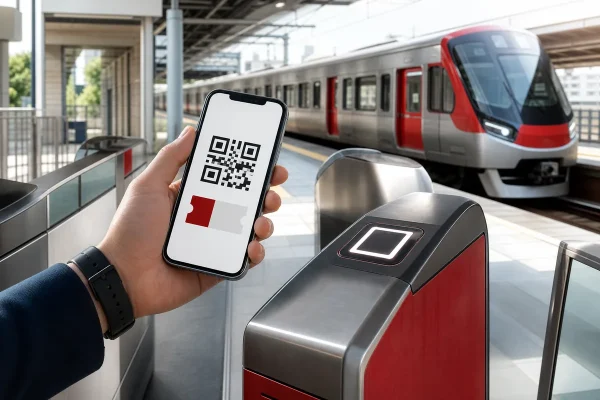
JR Kyushu’s QR Ticketless service lets eligible online fares be used from a live QR ticket on a smartphone without collecting a paper ticket. It is useful for limited express trips from Hakata to destinations such as Kokura, Beppu, Yufuin, Sasebo or Huis Ten Bosch, and for eligible journeys on the Nishi Kyushu Shinkansen. It is not the same as a JR Kyushu Rail Pass, an IC card or SmartEX, and the Kyushu Shinkansen between Hakata, Kumamoto and Kagoshima-Chuo is not supported.
- Requires a JR Kyushu Web membership, an eligible online product and credit-card payment
- Use the live QR ticket at entry and exit; screenshots, saved images and printouts are not accepted
- All JR Kyushu conventional-line limited expresses, D&S trains and the Nishi Kyushu Shinkansen are broadly covered when the selected fare and section support QR
- Booking, change and refund operations are generally available 05:30–23:00 Japan Standard Time
The Japanese source, JR Kyushu QR guide, boarding guide, FAQ, change/refund rules and the Ticketless Plus release were checked on August 3, 2026. The booking screen is the final authority for whether a fare and section offer ‘QR Ticket Boarding.’
Which trains can use JR Kyushu QR Ticketless?
| Train or service | QR Ticketless | Key point |
|---|---|---|
| JR Kyushu conventional-line limited expresses | Eligible products and sections | Includes Sonic and other regular limited expresses |
| D&S sightseeing trains | Eligible products | Package-only trains such as Aru Ressha and Kanpachi Ichiroku are excluded |
| Nishi Kyushu Shinkansen Kamome | Eligible products; all stations | Choose a Kamome fare that offers QR boarding |
| Kyushu Shinkansen | Not supported | Use a supported service such as SmartEX or collect the required paper ticket |
| JR Kyushu Rail Pass Online Booking | Separate service | A rail-pass seat reservation is not automatically this domestic QR ticket |
Book, display and use the QR ticket
Create or sign in to a JR Kyushu Web account, search by date, stations, time and passengers, then choose an eligible fare. On the collection or boarding screen, select the option labelled ‘QRチケット乗車’ before paying by credit card. A product with a familiar name may support QR only on selected sections, so do not assume from the train name alone.
The official list includes some sections of Kyushu Net Ticket, Kyushu Net Hayatoku 3, Kamome Net Ticket, Kamome Net Hayatoku 3, Watashitachi-mo Kamome Hayatoku 7, QR-compatible tickets and Shinkansen + ¥100 = Hohi Line Ticket. Save the reservation details as a reference, but display the live QR ticket from the reservation list immediately before entering. Staff may also ask to see the train, car and seat information on board.
QR-reader stations, poster gates and Shinkansen transfers
At a station with a QR reader, raise screen brightness and hold the active ticket over the reader. At a station without a reader, scan the station’s posted gate QR with the phone and follow the on-screen instructions. The same passenger must use the same ticket for exit. Do not tap an IC card as well unless station staff specifically directs you, because mixing systems can create an incomplete trip record.
A QR Ticketless journey cannot use a transfer gate to another Shinkansen service. Exit through the normal gate, then enter again using the ticket or service for the next train. This matters at Hakata and Kumamoto: allow transfer time rather than planning a tight connection between QR Ticketless and SmartEX or a paper Shinkansen ticket.
Using one reservation for a group or child
A booking for several people produces one QR ticket per passenger. Travellers with their own phones can receive the individual display URL by email or a messaging app. Do not send a screenshot; send the display link from the reservation details.
When a child or companion has no phone, the purchaser can display each ticket in turn if everyone has the same origin and destination. For three passengers, show the first QR and let one person pass, switch to the second, then the third. Keep the purchaser outside or where staff directs until everyone has entered. Each passenger should use the corresponding QR at exit as well.
Changes, refunds and switching to paper tickets
After changing a train or seat, select QR boarding again; the old QR becomes invalid. Changes and refunds are handled by the purchaser for a group booking. Reducing the number of passengers requires a refund for the removed passenger, and changing between adult and child categories may also incur a fee or change seats.
Conditions depend on the fare. Kyushu Net Hayatoku 3 and Kamome Net Hayatoku 3 have an earlier reserved-seat change deadline of 23:00 three days before travel. Watashitachi-mo Kamome Hayatoku 7 cannot be changed after payment. Before the QR has been used or a paper ticket collected, the reservation can generally be switched between QR boarding and paper collection; once a ticket is collected, the rules change. Online change/refund operations are generally 05:30–23:00 JST and also have train-specific deadlines.
What Ticketless Plus adds in 2026
Ticketless Plus began at 10:00 on April 2, 2026. It is a separate short-distance QR ticket available only after buying an eligible QR Ticketless fare whose origin or destination includes Hakata, Kokura, Saga, Nagasaki/Uragami or Oita. It solves cases such as travelling by local train from Minami-Fukuoka to Hakata and continuing on an eligible limited express without exiting at Hakata.
It is sold only for listed local sections at the normal, undiscounted fare, cannot be bought alone, must be used on the same date and is limited to the number of passengers on the main booking. If the trip changes or is refunded, handle both the main QR fare and Ticketless Plus separately. Buy it only when the banner appears and the required local section is selectable.
Phone trouble, official help and related travel guides
Open every passenger’s ticket before leaving Wi-Fi, charge the phone and carry a power bank. A screenshot is not a backup. If ‘QRチケレス発行失敗’ appears, the reservation itself is valid: change boarding once to paper-ticket collection and then select QR Ticket Boarding again; if that fails, wait and retry. If the phone breaks or the battery dies, speak to station staff and arrange paper-ticket collection before boarding.
JR Kyushu also provides an English reservation-operation guide, but the QR-specific product names and conditions may still appear in Japanese. Match the booking-screen label carefully and ask staff before entering when the itinerary combines different ticket systems.
- JR Kyushu QR Ticketless beginner guide
- JR Kyushu booking and boarding guide
- JR Kyushu QR Ticketless FAQ
- JR Kyushu change and refund conditions
- Official English reservation operation guide
- SmartEX guide for the Kyushu Shinkansen
- First-time Fukuoka travel guide
- Crosta Hakata luggage storage and delivery